


 Swift To-Do List 11
 Swift Mind Freedom
 Meta Productivity
 Daily To-Do List
Easy Way To Organize Personal Projects
There Is a Better Way to Organize Personal Projects
We meet a lot of people every day and we are bombarded with different types of information from the advertisements that we see on TV to the various signs and billboards that we see. Some of this information is irrelevant but the rest is very important, we all need to remember it and keep track of it.
There are many things to do... books that you want to read, calorie content information and computation, your budget, series of phone numbers, weekly and everyday schedules and appointments, tasks and goals. The list seems to be endless but don't fret, there is a better way to organize personal projects as well as your other priorities. What's this better way? I am referring to using a personal organizer software tool.
Task Organizer Tool Basics
A task organizer tool is a simple program that you install in your computer, it serves as your personal assistant. Here you can input the things that you need to get done, when they’re due and other "notes" that may pertain to your particular task.
You can arrange these tasks according to priority and you can monitor your progress if you will update your task organizer every day. Most of these task organizers are available online for free, although freeware programs often have limited features and capacities compared to their paid counterparts.
Features and Capabilities
Almost all task organizer tools offer an alarm feature that goes off on your preferred time (a day before the event, 15 minutes before, 1 hour before and more). Some premium task organizers like Swift To-Do List also support recurring tasks, including reminders.
As mentioned, these task organizers can allow you to write your own to-do lists, grocery list and other checklists that will help you manage your project and time. Once you are done with a particular task, you can simply tick it off your list and it can be automatically archived.
Other than the calendar and to-do list features, there is quite a lot of features that you might need. Check the list of Swift To-Do List features to see what it has to offer.
Swift To-Do List 11
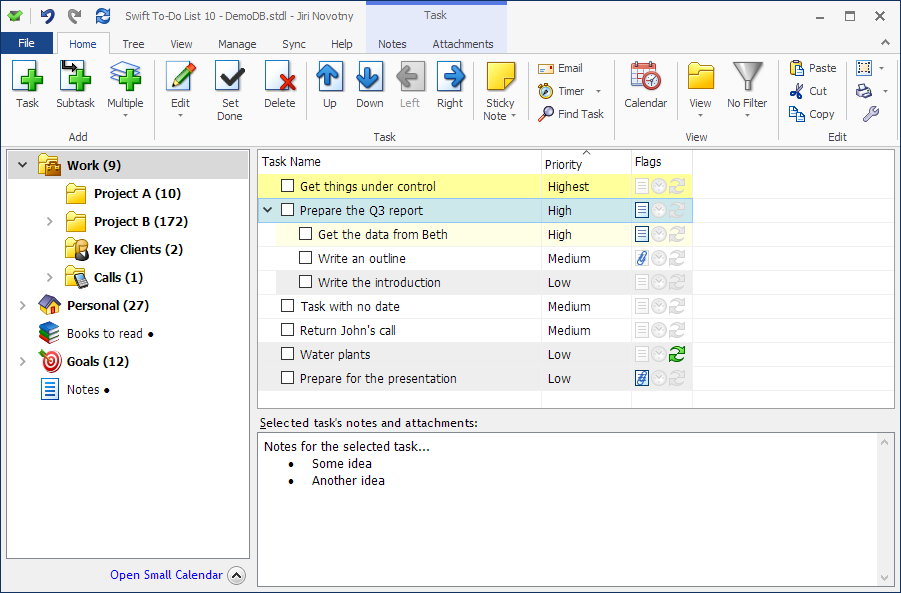
You can organize all your tasks and notes with our specialized personal project manager.
Getting organized has never been so easy and simple!
Download this simple task manager today and immediately reap all the benefits.