


 Swift To-Do List 11
 Swift Mind Freedom
 Meta Productivity
 Daily To-Do List
Todo software is better than paper to-do lists
To-do list software usually consists of a framework that you can use to record tasks that you wish to accomplish in a specific time period.
There can be a whole variety of things which you wish to remember ranging from deadlines to important phone calls and interactions that you need to conduct. It can get quite troublesome to create a paper checklist every time you wish to remember something.
To-do list software enables you to enter in the information you require in quite an uncomplicated manner that you will be able to access with complete effortlessness. Some of the benefits that make to do software better than paper task lists are:
It is very simple to make any kind of alterations in your to do list when you have a software set up for this purpose as you only have to type in the corrections wherever they are required.
On the other hand, when it comes to paper lists, it can be quite wearisome to remove the things that you have already written down or printed and over-write the incorrect information.
To do list software is equipped with alarm systems, that can be sound based, which help to alert and remind you about the tasks that you have to perform in a timely manner.
If you create a paper list, this is impossible as you will have to consult your list on a daily basis and scout through it to find the task you have to complete at the present moment. A few activities can thus go unnoticed if you fail to go through your list regularly.
It is very easy to transfer the list created by you using special task management software as all you have to do is to save the list to a file and email it to yourself or even let it automatically sync with another computer. Your list will then be sent to whichever location or person you need to share it with.
You can even send it to a cellular device or a smart phone that you may be using while travelling as most such software are adaptable for use in such gadgets.
- If there is a certain task that needs to be performed on a periodical basis, it is not wise to enter it into a paper list every time it is scheduled to come up again. To do lists make your job much easier as you can use the framework provided to be reminded of the recurring task each time it recurs.
Swift To-Do List 11
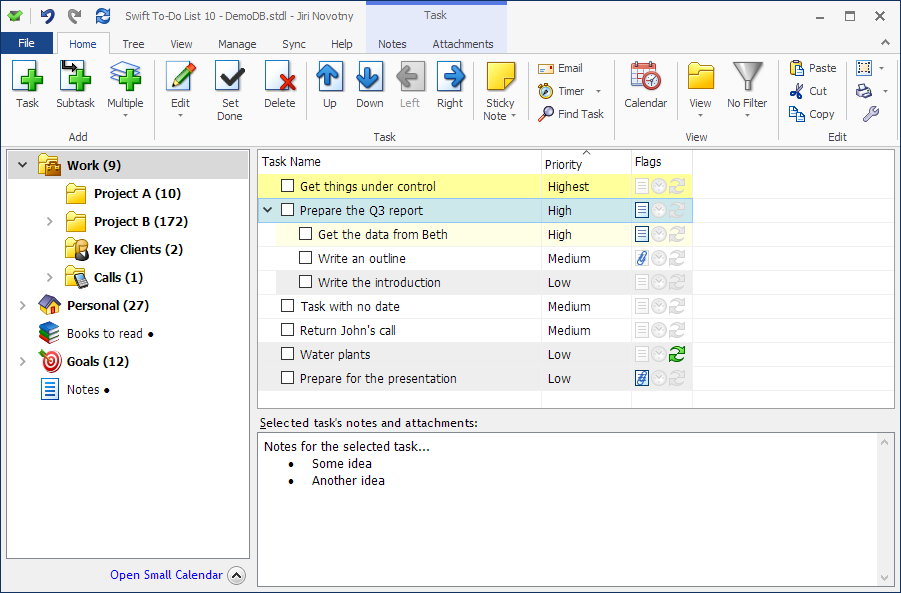
You can organize all your tasks and notes with our specialized todo program that can replace paper to-do lists.
Getting organized has never been so easy and simple!
Download this desktop todo program today and immediately reap all the benefits.