20+ columns to choose from
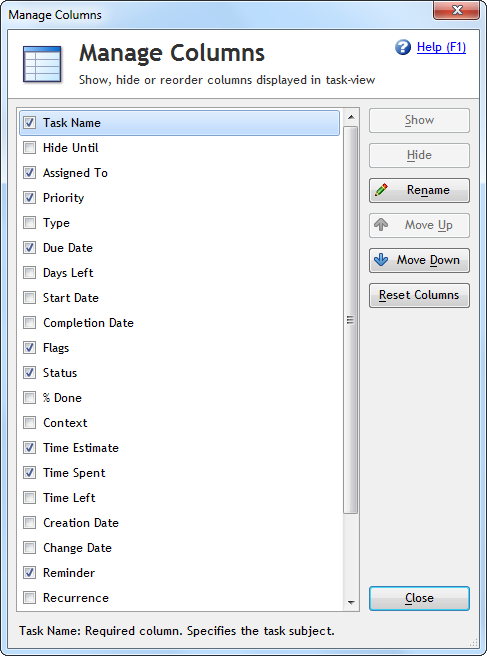
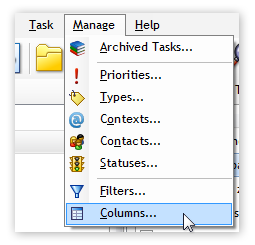
Swift To-Do List supports many different columns. You can display and use only the columns that you actually need. To manage columns, use the menu item "Columns..." in the Manage menu.
Supported columns include:
- Task Name
- Priority
- Due Date
- Type
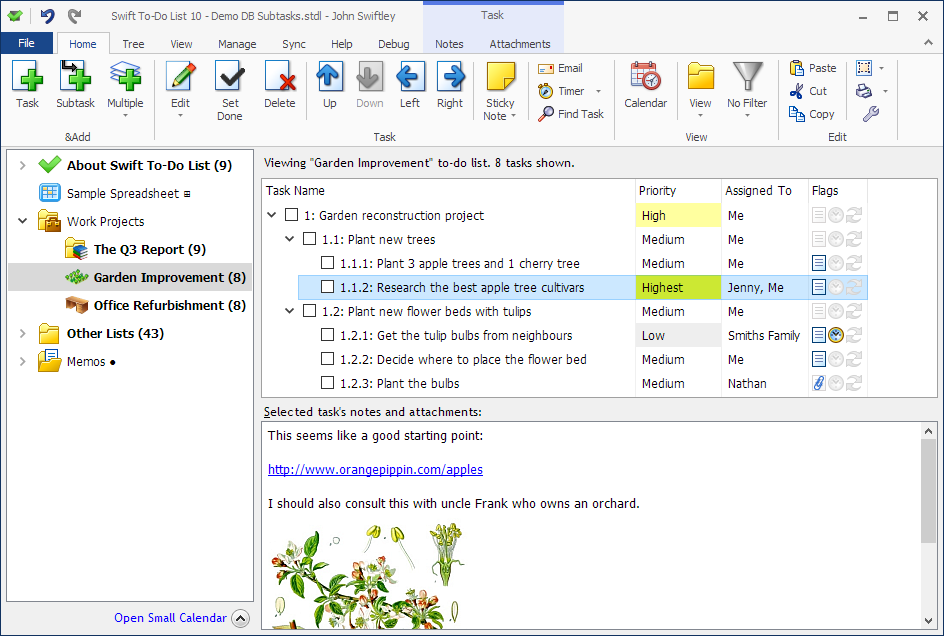
- Flags (Indicates if the task has notes, attachments, reminder, or recurrence set)
- Days Left (till due date, read only)
- Creation Date (read only)
- Change Date (read only)
- Reminder (Displays the time and date of the next reminder)
- Recurrence (Displays the time and date of the next recurrence)
- Notes Preview (Displays the first few words of notes)
- To-Do List (Displays the name of to-do list the task is in)
- To-Do List (Full Path)
- Task ID
- Hide Until
- Assigned To
- Completion date
- Context
- Percent Done
- Start Date
- Status
- Time Estimate
- Time Spent
- Time Left (Displays the difference between Time Estimate and Time Spent)
When a column is disabled, it is fully hidden in the whole program and the design of the whole program is simplified (e.g. all editing fields related to that column are hidden in the Add Task and Edit Task windows, etc). This is a unique feature.
Sort by multiple columns
It is possible to sort your tasks by multiple columns at once (eg. by Priority first, and by Due Date second). Just hold the Ctrl key when clicking a column to add or remove it from the sort.
Rename columns
You can rename any of the columns.
Swift To-Do List has a lot of inbuilt columns and fields. Some of them might not be very useful or relevant to you.
However, by renaming a field, you can re-purpose it. For example, if you don't use the Context or Type field, you can rename it to something else and use it for that instead. You could rename it to Supervisor, or Client, or Location, or anything else that you want/need.
If you don't need the Due Date or Start Date, again, you can rename them to something else - for example, Shipment Date or Delivery Date or Last Contacted Date. Again - anything you need.
This is the ultimate customization. The change will fully reflect in all parts of the software, including export and printouts.
Just be aware that some of the fields have their values adjusted automatically. For instance, if you complete a task, the values of its Completion Date, Status and Percent Done fields might automatically change.
Download Swift To-Do List
Download Swift To-Do List now. The trial is free and fully functional!
This is by far the best program I have ever used! I have been searching for the optimal organizational tool since thirteen years of age. I actually used the "Daytimer" system at that age. Since, I have been constantly trying to find a PC program that was not too cumbersome and easy to use.
I eventually got fed up and designed my own "Paper" system. Very cumbersome, but accomplished what I wanted. But this program utilizes all components of my paper system and soooooo much more - and easier to use by far. Whats more, you are actually supporting and improving the program.
You can only make the best better - keep up the good work!
Larry C, USA
 Tree Notes
 FastPaste
 Mind Collected



 Swift To-Do List 11
 Swift Mind Freedom
 Meta Productivity
 Daily To-Do List