


 Swift To-Do List 11
 Swift Mind Freedom
 Meta Productivity
 Daily To-Do List
How to Organize Your Work as a Freelance Writer or Freelancer
How many times did you realize that you were supposed to have delivered an order a couple of days after it was due? Some clients may be patient, or don't pay too much attention to timing, but you can often lose clients because of your poor time management.
It’s really disturbing to realize that there are always jobs that are falling through the cracks because you have no way of keeping track. This can be costing you money.
As a freelance writer (or other freelancer), keeping track of all the work that you have to do can be daunting. You receive orders practically all the time, and it's easy to find yourself overwhelmed if you don't have a way of organizing your work.
In fact, sometimes you'll only remember a job when a client writes to ask you for it because it's so long since they made their order. A guaranteed way to deal with this situation is to use a good task management software that can easily keep you on track and remind you of your tasks and plans.
Unfortunately a lot of task management software that's sold on the internet doesn't quite organize you; it tends to confuse you even more, usually because it has loads and loads of advanced functions. It comes with so many details when all you want to do is have a task list that tells you what you are supposed to do and when, get a reminder or maybe view your deadlines in a calendar.
That's why Swift-To-Do List is so different for creating to-do lists. It’s the ideal software for freelancers, business owners and even individuals that want to get themselves organized.
The 2 most basic things that you need from an organizer:
- It allows you to put in your tasks easily and fast. You’re going to have a lot of tasks over time, that’s why every unnecessary click when adding tasks counts.
- It allows you to set due dates and it will remind you if you are late.
Of course it can do so much more than that, but the fact that these are the 2 primary things you get on opening Swift To-Do List makes it really easy to use.
If you want to know just what else it can do for you, let's run through the list quickly:
- Adding tasks is easy and it doesn't take your time – that's what's so off-putting about many task organizers. Just to add on a task is a challenge in itself. Swift-To-Do makes adding and deleting really easy.
- You can edit a task as you like and this is equally straightforward too.
- As a freelance writer, you get jobs that come with specs, and what's so great about this software for freelance writers is that on the same screen that you can see your job or task, there's a section for you to put in notes so that you can see everything at a glance.
- Marking a task as done is as simple as a click – it disappears to the bottom of the list where you can still see it but it's not active.
- It allows you to filter jobs by day or week. You can also move jobs around depending on how urgent they are.
I could go on and on, but I have found that in a few short hours, Swift-To-Do-List Professional had all my jobs laid out in front of me in a clean and systematic way. If there is anything you can do for yourself as a freelancer that will organize your work even better, it is to get this excellent to-do list software for freelancer writers.
Swift To-Do List 11
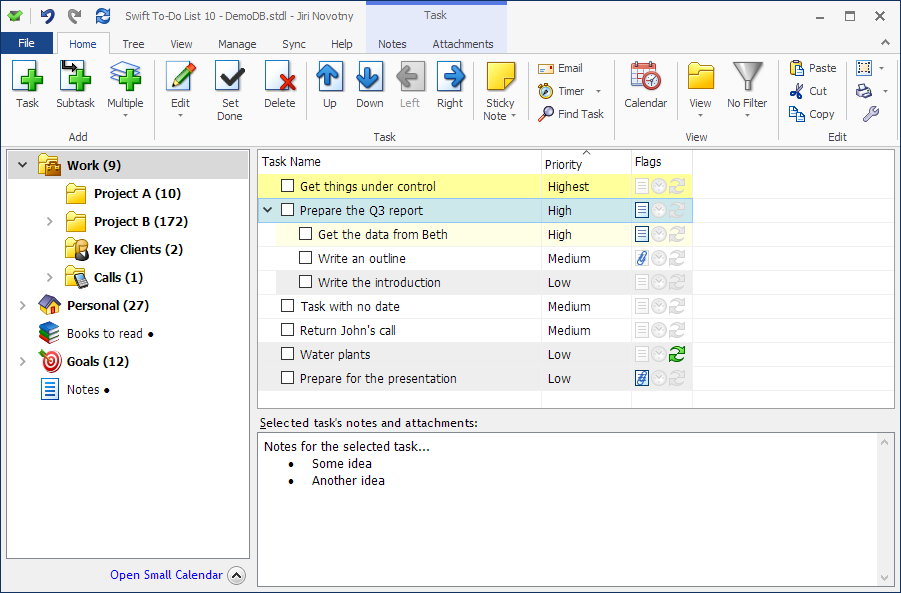
You can organize all your tasks and notes with our specialized freelancer organizer.
Getting organized has never been so easy and simple!
Download this organizer for freelancers today and immediately reap all the benefits.