


 Swift To-Do List 11
 Swift Mind Freedom
 Meta Productivity
 Daily To-Do List
Task Management Software Review
We work all the time in our day to day life to grow our business and to become better with time management. Working within today’s competition needs to be more result specific and targeted so that it yields the most benefit to our business and takes it to a new higher level. We all have some common procedures to follow, irrespective of the business profile we fit in. And most amazingly, what we are going to discuss today needs to be maintained in every humans life to have a success in life.
It’s nothing but the simple rule of managing tasks in the most effective ways we can. It’s the process of task management, not a very tough job as hyped by media, when you have the necessary tools at your disposal to do so. And by the advent of technology it has been made simpler to manage humongous tasks single handedly, which previously would have probably needed a dedicated team to manage in full throttle.
I would like to review the award winning software Swift To-Do List, which has been the first choice of many users for a long time. It is simple and yet easy to use and does not demand you to become a tech savvy guy like other software for management of tasks.
Swift To-Do List has been designed in such a way that it fits in use for both home and office and is not limited to any particular type of business.
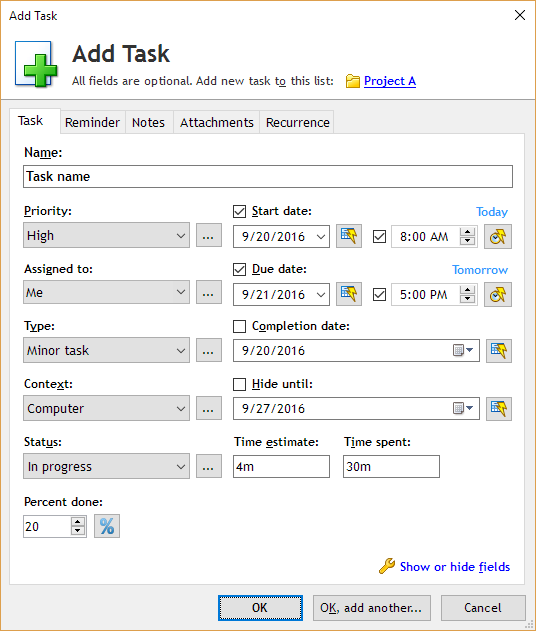
Using this software, you can create any number of task management projects and each projects can have several number of different sub to-do lists , which can contain various plans towards completion of the main plan, which is a prime feature of such a software. Each of these tasks can also have attributes such as start date, due date, completion percentage, job assigned to, and many more. There are 20+ different tags to choose from, which will surely satisfy all your needs regarding the task.
This task management software has got a unique reminder notification facility which reminds you of a pending task. It can even send emails as task notifications directly from the program.
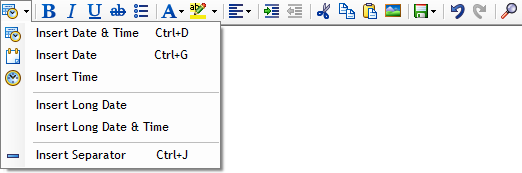
You can add notes to each task, the task manager has an editor panel built in. It is easy to use for every single person. Even a person who has not tried to use software like this before would be easily able to use it. The software has a backend database, which is capable of storing attachments being specific to the tasks.
You can also add attachments to your tasks with a simple drag and drop feature, making the working environment easy to use. It’s handy for categorizing specific documents in their relative folders in different directories for future references during the lifetime of the project.
One of the most powerful features which shouldn’t be overlooked in any condition is its ability to drag and add emails from Microsoft Outlook and almost every other email client, it’s really a valuable feature to have in the software.
The task organizer has a very robust filter & export facility, which supports HTML, MS Excel, CSV and much more. The software also has an integrated data protection facility, which saves you from getting your tasks deleted accidentally. Anytime a task is deleted from the work panel it is archived, it can be recovered anytime you feel you need, you can of course also delete any task permanently. The tasks can be prioritized and color labeled on the basis of color modifications according to your choices.
Another unique facility which is offered along with this software is that it is mobile and can be run from any removable storage devices (USB flash drive), this ensures that you never have to give up hand from your plan.
The database protection is another required feature for the security purposes. The protection is virtually impossible to pass through without proper validation if it is maintained securely. And hence makes sure your data is safe all along the way.
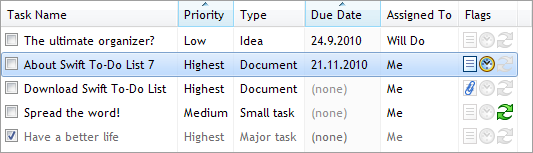
Use of hot keys was kept in mind while developing the software and it can be used with mouse clicks, gestures, keyboard keys and any combination of both mouse and keyboard alike. Hence is it fully ready out of the box to serve both new users and experienced advanced users.
In case the basic users might get confused with advanced features it also has an option to hide the advanced options which are not required mostly during basic routine use. It can be reactivated back with the single click on the same button.
Distribution of tasks is really easy with this task manager. After the tasks have been setup and assigned you can simply select the recipients of the jobs and the software can simply send the emails from within the software to the assigned persons and hence they get notified once the jobs have been assigned to them.
This task management software has been reviewed by hundreds of customers who left positive feedback.
Download Swift To-Do List today and discover what it can do for you and your business.
Swift To-Do List 11
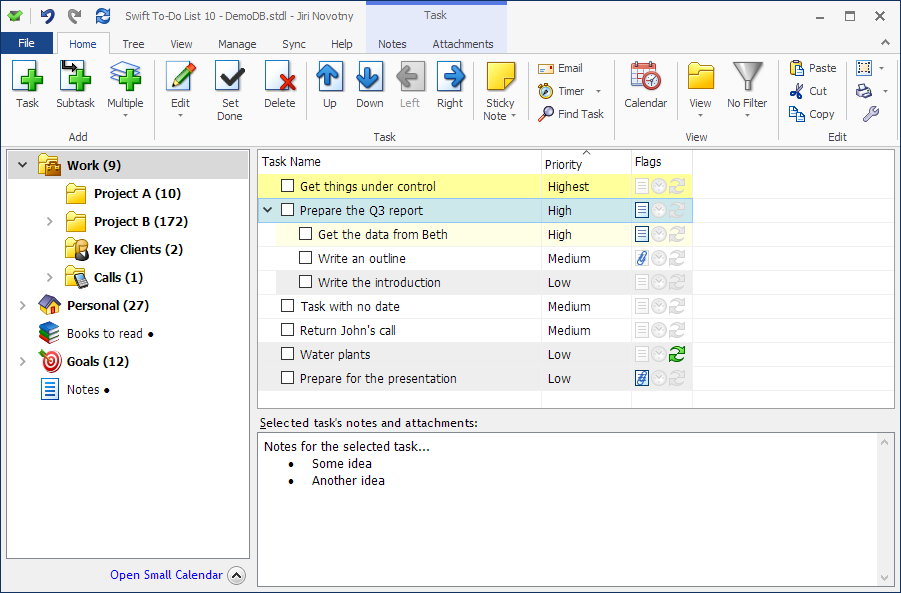
You can organize all your tasks and notes with our specialized notes and task manager.
Getting organized has never been so easy and simple!
Download this task management program today and immediately reap all the benefits.